Volleyball, book club, poker night, fishing crew — if it meets again and again, Who's In runs it. Roster from contacts, two-tap group-text invites, In/Maybe/Out RSVP tracking, and Activity Insights. All private, on your device.
Features
No more "who can make it?" threads. Who's In handles the roster, the invite, and the head count — so you spend your time organizing the game, not the group chat.
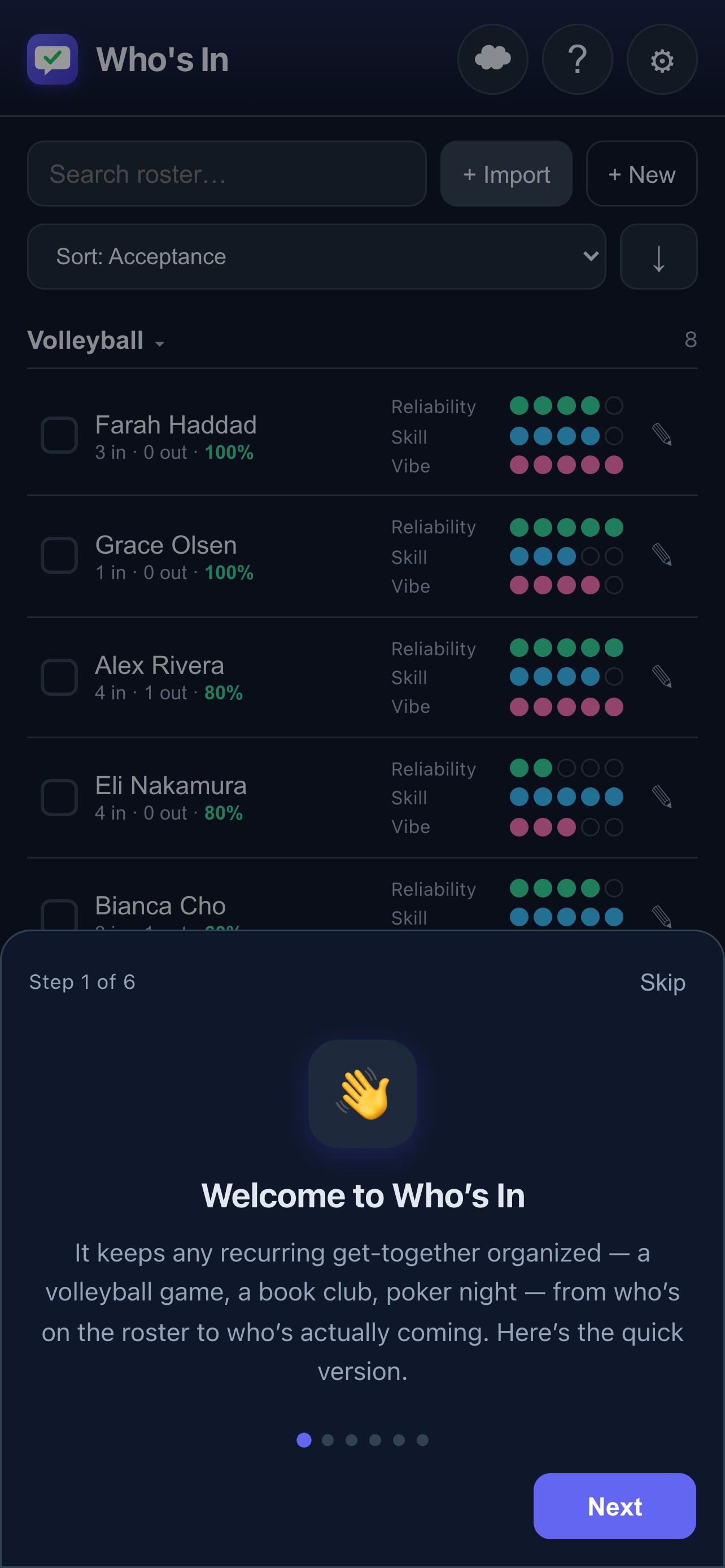
Pull players from your phone's address book — or add someone new and they're saved back to Contacts so the two always stay in sync.
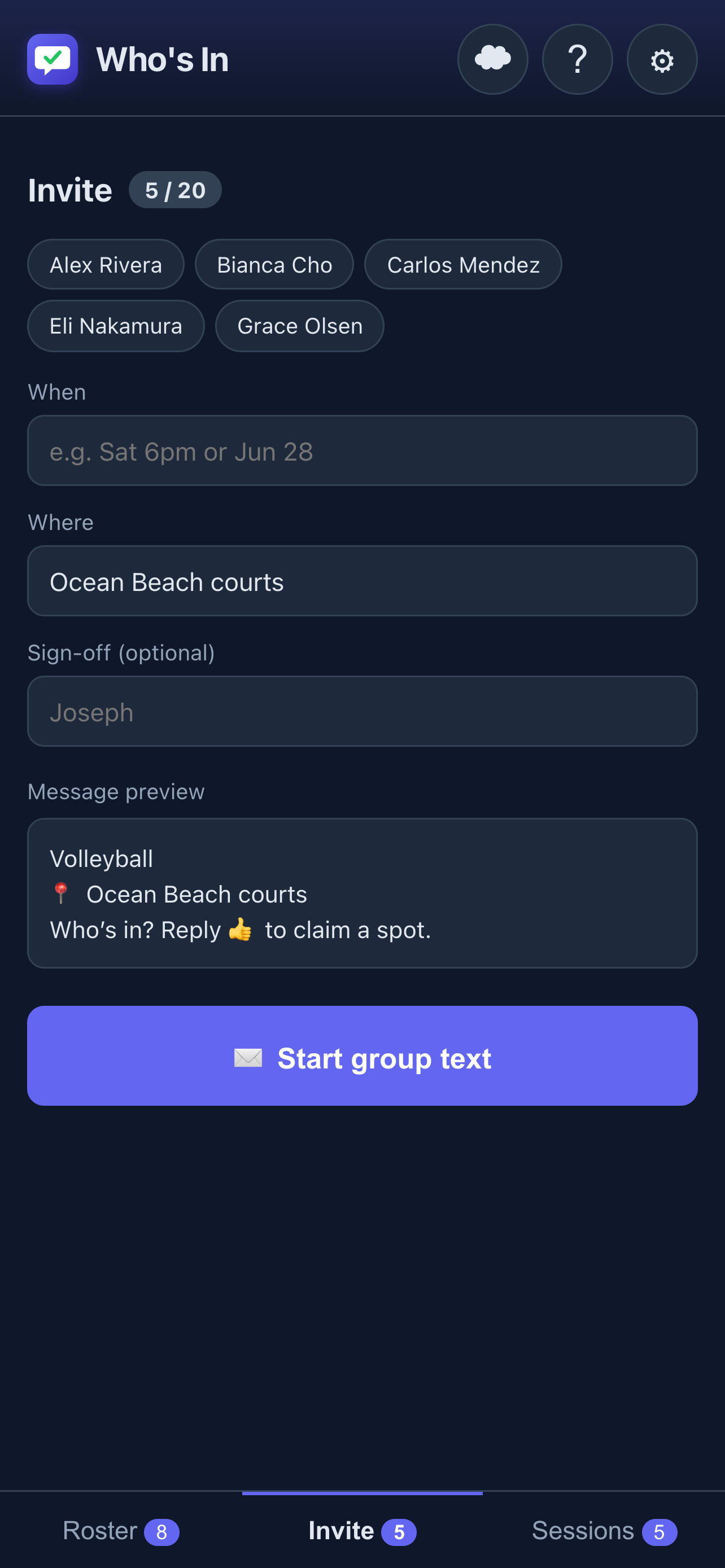
Pick who's coming and fire off a group text — prefilled with the when, where, and a "who's in?" prompt. iOS opens Messages with everyone already addressed.
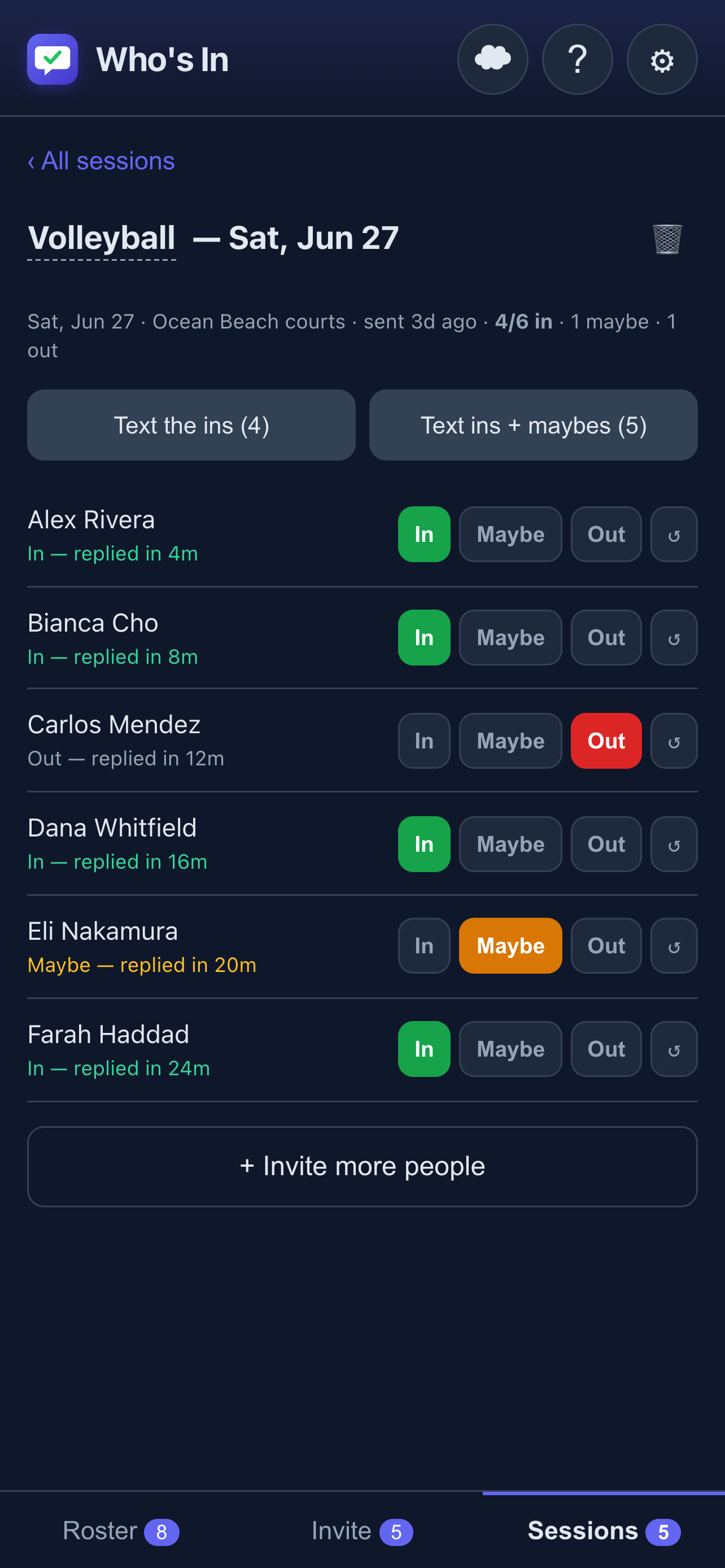
iOS won't let any app read your texts — so tap In / Maybe / Out as replies land. Who's In records response times and flags anyone who said yes then dropped.
After three sessions, Activity Insights shows you exactly how your group performs over time — so you know who to call and when to send a second round.
More ways to stay organized
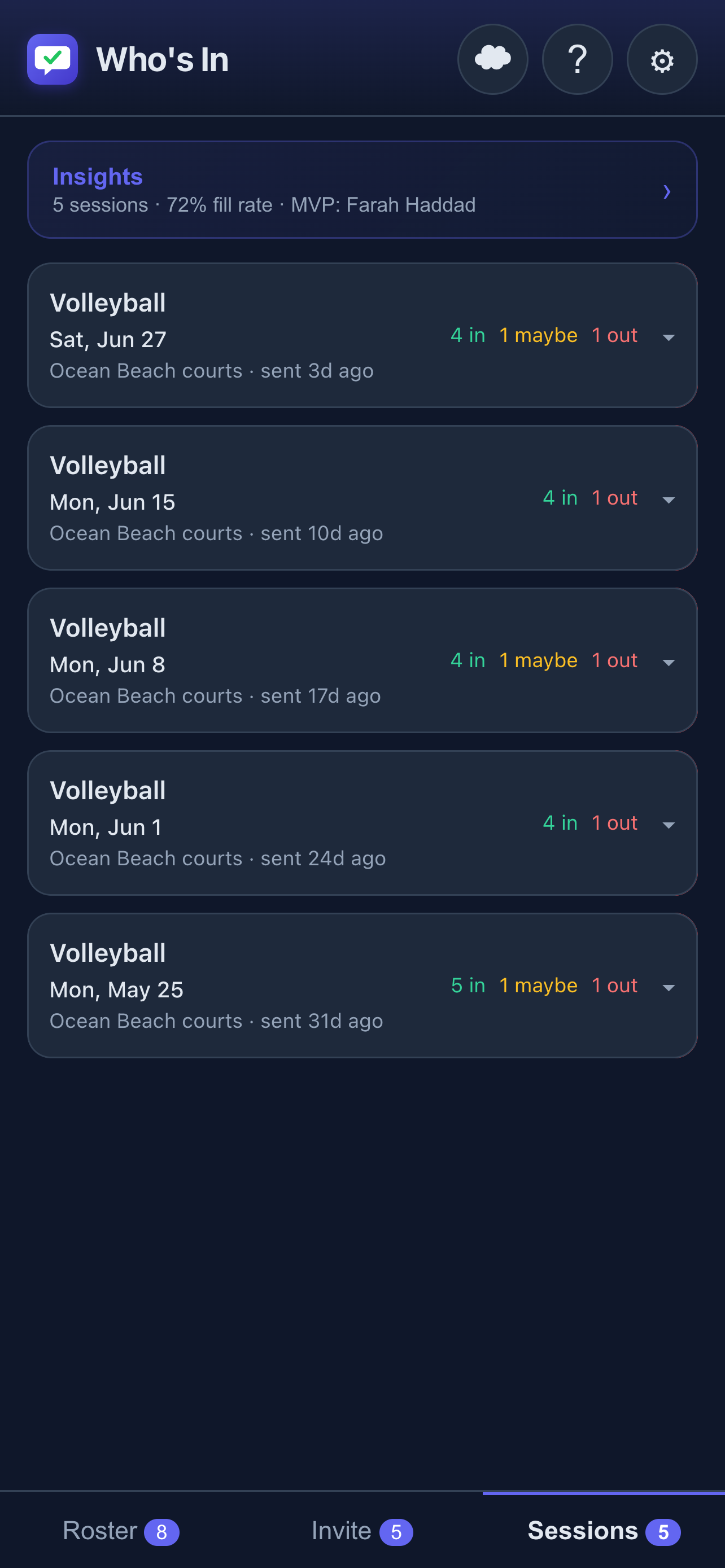
Every invite is saved with the full RSVP log and the actual game date. Tap any card to expand it and see who said what without opening the tracker.
Run volleyball, pickleball, and book club from the same app. Each group has its own roster, settings, and history.
Mark someone on vacation with an optional return date. They're automatically skipped in invites until they're back.
Add someone to your roster who isn't in your phone yet — Who's In saves them to your Contacts so everything stays in sync.
Starting a new activity with mostly the same crowd? Copy your roster from another group and adjust from there.
Fill rate, drop rate, player rankings, and response-breakdown chart across all your sessions. Know who to call — and when to send a second round (Pro).
Sign in with Google (Pro) to back up your roster and sessions. See a per-activity data breakdown before you merge or overwrite — no surprises.
English, Deutsch, 日本語, and 한국어 — auto-detected from your device, with a manual override in Settings.
No account required. Contacts, ratings, and notes stay on your device unless you opt into cloud backup.
Your contacts, ratings, and notes stay on your device by default. No account required. Opt into cloud backup (Pro) when you want it — you're always in control.
Pricing
The core features are free — roster, invite, RSVP tracking. Upgrade once for everything else, forever.
FAQ
So you can pick players for your roster and send them a group-text invite, and (with your confirmation) save a new player to your phone's Contacts. Your contacts are used only on your device and are never uploaded anywhere.
No — iOS doesn't allow any app to read your Messages. That's why you tap In / Maybe / Out yourself as replies come in. It's a couple of taps and keeps everything private.
Pro is a one-time purchase ($6.99) that unlocks: unlimited roster per group, multiple activity groups, full session history, Activity Insights (fill rate, player rankings, response breakdown), away/paused players with optional return dates, copy-roster between groups, and cloud backup & sync via Google Sign-In.
English, Deutsch (German), 日本語 (Japanese), and 한국어 (Korean). The app picks the right language from your device automatically. You can override it in Settings (⚙) → Language.
This was fixed in version 1.0.1. iOS 18 introduced a limited "Selected Contacts" permission that earlier versions didn't recognise — update the app and it will work correctly. To adjust which contacts the app can see, go to Settings (⚙) → Update contact access.
Open Settings (⚙) → the upgrade screen, and tap Restore purchase. Pro is tied to your Apple ID, so it restores at no charge.
How a prefilled group message behaves can vary by carrier and by whether recipients use iMessage. Who's In hands the invite to your Messages app; sending is handled by iOS from there.
All of your roster, ratings, notes, and session history are stored only on your device — there's no account and no server. Deleting the app removes that data. Contacts you added to your phone remain in the Contacts app until you remove them there. See our Privacy Policy.
Tap a player on the Roster tab to open their editor, then toggle Away (a Pro feature). You can optionally set a return date — when that date arrives, the player is automatically restored to active status and included in future invites again.
Support
Send a message and we'll get back to you. Leaving your email and iOS version helps us reply.
